







A technical SEO audit is a comprehensive evaluation of your website’s technical framework to ensure it aligns with search engine standards. It functions as a foundational health check; while content and backlinks are crucial for ranking, they rely on a solid technical base. If that foundation has flaws—preventing search engines from efficiently finding, crawling, understanding, and indexing your pages—all other SEO efforts can be significantly undermined.
The primary goal is to identify and resolve technical issues that could hinder your organic search performance. This process focuses not on keywords or content quality, but on the mechanics of how your website operates and communicates with search engine crawlers like Googlebot. A thorough audit examines everything from site architecture and mobile-friendliness to page speed and security protocols.
This process is crucial for two main reasons. First, it directly impacts how search engines perceive your website. A technically sound site is easier for crawlers to process and index, increasing the likelihood that your content will be seen and ranked. Second, many technical SEO factors are intrinsically linked to user experience. A fast, secure, and easy-to-navigate website satisfies search engine criteria and improves user engagement, which can lead to lower bounce rates. As Google increasingly prioritizes user-centric metrics like Core Web Vitals, a positive user experience is essential for achieving and maintaining high rankings.

To conduct a thorough technical SEO audit, you need the right set of tools. While some elements can be checked manually, these platforms provide the scale, data, and efficiency required to analyze an entire website. Your toolkit should include a mix of free and paid resources that cover crawling, performance analysis, and direct feedback from search engines.
These free platforms are indispensable components of your toolkit. Google Search Console (GSC) and Bing Webmaster Tools allow search engines to communicate directly with you about your website’s health. They provide invaluable data on:
Website crawlers, also known as spiders, are desktop applications that scan your website similarly to how Googlebot does. They follow links to discover pages and collect data at scale, which is essential for identifying site-wide issues that would be impossible to find manually.
Website speed is a confirmed ranking factor and a cornerstone of a good user experience. These tools analyze your page’s loading performance and provide specific, actionable advice for improvement.

The first and most fundamental step of any technical audit is ensuring that search engines can access and index your content. If a search engine crawler cannot find or read your pages, those pages will not appear in search results. This stage involves checking the key files and reports that govern how bots interact with your site.
The `robots.txt` file is a text file located at the root of your domain (e.g., `yourdomain.com/robots.txt`) that instructs web crawlers on which pages or files they are allowed or disallowed from requesting. While simple, an incorrect directive can have significant negative consequences for your visibility.
Check for directives like `Disallow: /`, which would block most search engines from crawling your entire website. Also, ensure you are not disallowing important resources like CSS or JavaScript files, as this can prevent Google from rendering your pages correctly and negatively impact rankings. Use Google Search Console’s robots.txt Tester to validate your file and test if specific URLs are blocked.
An XML sitemap is a file that lists the important URLs on your website that you want search engines to crawl and index. It acts as a roadmap for crawlers, helping them discover your content more efficiently, especially new pages or pages that are not well-linked internally.
Your audit should confirm several key points:
Crawl errors occur when a search engine tries to access a URL on your site but fails. These are primarily categorized as 4xx client errors and 5xx server errors.
The final check in this step is to understand what Google has actually indexed. A quick way to estimate this is by using the `site:` search operator in Google (e.g., `site:yourdomain.com`), which shows an approximation of the pages Google has in its index.
For a detailed analysis, use the Coverage report in Google Search Console. This report breaks down all known URLs into four categories: Error, Valid with warnings, Valid, and Excluded. Pay close attention to the ‘Excluded’ tab, which lists pages Google found but chose not to index. Common reasons include ‘Crawled – currently not indexed’ or ‘Discovered – currently not indexed’, which can point to content quality issues or a lack of internal linking. Your goal is to have all important pages in the ‘Valid’ category and understand why any key pages might be excluded.

A logical, well-organized site architecture is crucial for both users and search engines. It helps users navigate your site intuitively and allows search engine crawlers to understand the relationship between pages and distribute link equity (ranking power) effectively. This step focuses on the blueprint of your website.
Your URL structure should be simple, logical, and readable. Best practices include using lowercase letters, separating words with hyphens, and creating a structure that reflects your site’s hierarchy (e.g., `yourdomain.com/category/product-name`). Avoid long, complex URLs with unnecessary parameters.
Equally important is canonicalization. Duplicate content can occur when the same page is accessible via multiple URLs (e.g., HTTP vs. HTTPS, www vs. non-www). This dilutes link equity and confuses search engines. The canonical tag (`rel=”canonical”`) tells search engines which version of a URL is the definitive one to be indexed. Use a website crawler to check that every page has a self-referencing canonical tag and that duplicate pages point to the correct canonical URL.
Internal links are hyperlinks that connect one page on your domain to another. They serve as pathways for search engine crawlers to discover content and are vital for passing authority throughout your site. A strong internal linking structure ensures that your most important pages receive the most internal links, signaling their importance to search engines.
During an audit, use a tool like Screaming Frog to crawl your site and analyze internal linking patterns. A key issue to look for is orphan pages—pages with no internal links pointing to them. Because crawlers navigate via links, orphan pages are often never discovered or indexed. Once identified, integrate these pages into your site structure by linking to them from relevant, authoritative pages.
Click depth is the number of clicks required to get from the homepage to a specific page. A flat site architecture, where important pages are close to the homepage, is ideal. As a general rule, your key pages should be accessible within three to four clicks from the homepage. Pages buried deep within your site (high click depth) are crawled less frequently and are perceived as less important by search engines.
Website crawlers can calculate the click depth for every URL. Review this data to identify important pages that are too deep. To fix this, you may need to revise your main navigation, add links from category pages, or create content hubs that link directly to these deeper pages.
Redirects send users and search engines from one URL to another. Using the correct type of redirect is crucial for preserving link equity and ensuring a smooth user experience.
A common mistake is using 302s for permanent moves, which prevents ranking signals from being consolidated to the new page. Use a crawler to identify all redirects, looking for redirect chains (one URL redirecting to another, which redirects again) and loops. These waste crawl budget and slow the user experience. All redirect chains should be updated to point directly to the final destination URL.
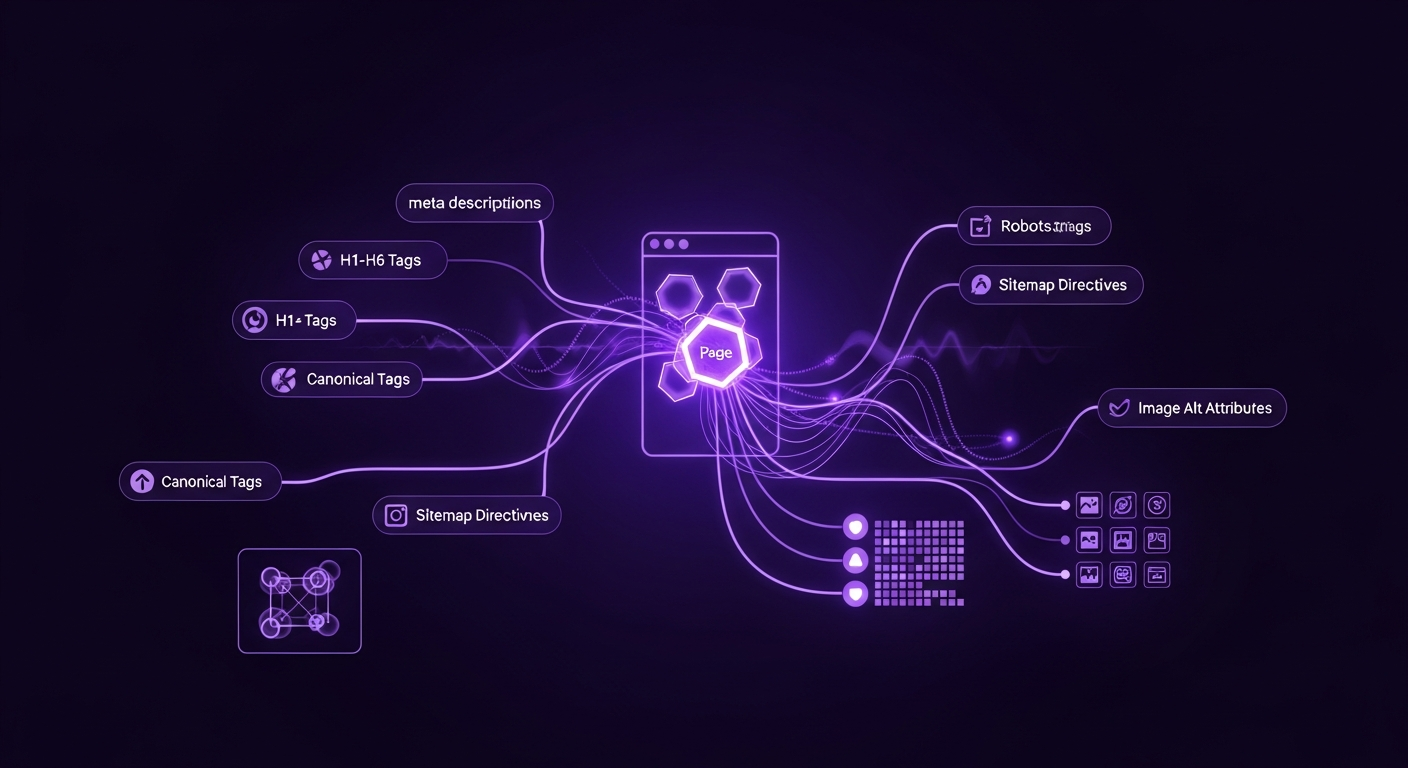
After analyzing the site-wide structure, the next step is to examine the technical elements at the individual page level. These on-page factors provide strong signals to search engines about a page’s content and relevance. While often considered part of ‘on-page SEO,’ their technical implementation is a core component of a technical audit.
These HTML elements are fundamental for SEO, helping search engines understand your page’s topic and influencing how your listing appears in search results.
Duplicate content refers to substantial blocks of content that are identical or very similar across different URLs. Thin content refers to pages with little unique value. Both can negatively impact SEO, as search engines may struggle to decide which page to rank or may devalue your site for having low-quality content.
Use a crawler or a tool like Siteliner to scan for duplicate content. Common causes include printer-friendly page versions, URL parameters, and boilerplate text. Solutions include using canonical tags to point to the preferred version, implementing 301 redirects to consolidate similar pages, or rewriting and expanding thin content to add unique value.
Schema markup is microdata added to your HTML to help search engines better understand your content. This can lead to enhanced search results known as rich snippets, which can include ratings, prices, and FAQs. These visually appealing results can significantly improve your click-through rate.
Your audit should check if you are using schema markup where appropriate (e.g., for products, reviews, articles). Use Google’s Rich Results Test tool to enter a URL and see what structured data Google can detect. The tool will also validate your code and flag any errors or warnings that need to be fixed. Ensure your schema is implemented correctly and provides accurate information.

Website performance is a critical component of technical SEO and user experience. Google’s Core Web Vitals update prioritizes sites that offer a fast, smooth, and stable loading experience. A slow website can lead to high bounce rates and lower rankings.
Core Web Vitals (CWV) are three specific metrics that Google considers essential for user experience:
Use Google PageSpeed Insights to test individual URLs and the Core Web Vitals report in Google Search Console to see aggregated data from real users. These tools will report if your pages are passing the CWV assessment and provide diagnostics for improvement.
Large, unoptimized images are a common cause of slow page load times. Your audit should identify images that are slowing down your site. The primary actions for optimization are:
Beyond images, your site’s code can also be optimized for speed. PageSpeed Insights and GTmetrix are excellent for identifying these opportunities.

With Google’s mobile-first indexing, the mobile version of your website is now the primary version for ranking and indexation. A site that performs poorly on mobile devices will struggle in search results. Furthermore, ensuring your site is accessible to all users, including those with disabilities, is both ethical and beneficial for SEO.
The first and simplest check is to use Google’s Mobile-Friendly Test tool. Enter a URL, and the tool will report whether the page has a mobile-friendly design. It checks for common issues like content being wider than the screen, text being too small, and clickable elements being too close together. A ‘pass’ is a good start, but this is a baseline check.
A responsive design is the modern standard for mobile-friendliness, meaning your website’s layout automatically adapts to fit any screen size. During your audit, manually test your website on various devices or use the device emulator in your browser’s developer tools to ensure the layout, navigation, and functionality work seamlessly everywhere.
A critical component of responsive design is the viewport meta tag (``). This tag tells the browser how to control the page’s dimensions and scaling. Without it, mobile browsers typically render the page at a desktop screen width and then scale it down, making it unreadable. Ensure this tag is present in the `
` section of all your pages.Web accessibility (a11y) means designing your website so that people with disabilities can use it. This overlaps with SEO best practices, as making your site more understandable for assistive technologies can also make it more understandable for search engine bots.
Key checks include:

Security is a top priority for search engines and users. A secure website protects user data, builds trust, and is a confirmed, albeit lightweight, ranking signal. This step involves ensuring your site follows modern security best practices.
HTTPS (Hypertext Transfer Protocol Secure) encrypts the data exchanged between a user’s browser and your website. It is a necessity for any modern website, as browsers like Google Chrome explicitly mark non-HTTPS sites as “Not Secure,” which can deter visitors.
Your audit must verify that your entire site runs on HTTPS. Check that your SSL certificate is valid and not expired. Furthermore, ensure that any requests to the HTTP version of your site are automatically 301 redirected to the corresponding HTTPS version to direct all users and bots to the secure version.
Mixed content occurs when an HTTPS page loads insecure (HTTP) resources, such as images, scripts, or stylesheets. This creates a security vulnerability and can cause browsers to display a warning or block the insecure content, potentially breaking your page’s functionality. Use your browser’s developer tools or a website crawler to scan for mixed content issues and update all resource links to their HTTPS versions.
If your website targets users in multiple countries or languages, `hreflang` tags are essential. These HTML attributes tell search engines which language and regional version of a page to show to a user based on their location and language settings.
Implementing `hreflang` can be complex and prone to error. Your audit should check for:
Use a crawler or a dedicated `hreflang` validation tool to check your implementation across the entire site.

For those looking to perform a more advanced technical audit, log file analysis provides the most accurate data on how search engine crawlers interact with your website. While other steps rely on tools that simulate crawlers or use reported data, server logs show you exactly what happened, when it happened, and which bot was responsible.
Crawl budget is the number of pages a search engine like Google will crawl on your site within a certain timeframe. For large websites, ensuring this budget is used efficiently is paramount. You want Googlebot spending its time crawling your important, high-value pages, not getting lost in faceted navigation, broken links, or low-quality content.
Log files are raw records from your server that show every request made to it, including those from Googlebot. By analyzing these logs, you can see which pages bots are crawling most frequently, how often they visit, and if they are encountering errors.
Analyzing log files can reveal significant inefficiencies. For example, you might discover that Googlebot is spending a large portion of its crawl budget on:
By identifying these patterns, you can take action—such as improving your `robots.txt` file, fixing internal links, and resolving redirect chains—to guide crawlers toward the content that matters, leading to faster indexing and better performance for your key pages.

A completed technical audit produces a list of issues; however, the real value lies in transforming this data into an actionable plan. Effective prioritization is essential for tackling the most impactful problems first and avoiding being overwhelmed.
The most effective way to prioritize is to use a matrix that plots each issue based on its potential SEO impact and the level of effort (time, resources, complexity) required to fix it. This creates four distinct categories:
| Category | Description | Examples |
|---|---|---|
| High Impact, Low Effort | Quick wins. These should be your top priority as they provide the most value for the least amount of work. | Fixing a `robots.txt` disallow rule, updating title tags, fixing critical 404s with 301 redirects. |
| High Impact, High Effort | Major projects. These are crucial for long-term success but require significant planning and resources. | Migrating from HTTP to HTTPS, implementing a site-wide page speed optimization plan, overhauling site architecture. |
| Low Impact, Low Effort | Nice-to-haves. Tackle these when you have spare time or bundle them with other tasks. | Adding missing alt text to a few images, cleaning up a short redirect chain. |
| Low Impact, High Effort | Time sinks. These issues should generally be addressed last, if at all, as the return on investment is often not worth the effort. | Performing a complete code refactor for a minor speed gain, fixing every single ‘soft 404’. |
Once your issues are prioritized, create a formal roadmap or project plan. For each task, define the following:
This structured approach transforms your audit findings into a clear action plan, ensures accountability, and makes it easier to track progress over time.
Before implementing fixes, it is crucial to establish benchmarks. Record your key metrics so you can measure the impact of your work. Track data points such as:
After implementing your fixes, monitor these metrics closely. Demonstrating a measurable improvement—such as a decrease in crawl errors, an increase in indexed pages, or a lift in organic traffic—proves the value of the technical SEO audit and justifies the resources invested.


