







In the crowded digital marketplace, simply having a great product is no longer enough. Potential customers need to find you, and that’s where e-commerce search engine optimization (SEO) comes in. It’s the engine that drives qualified, high-intent traffic to your online store without you having to pay for every click. This guide will walk you through every critical aspect of e-commerce SEO, from foundational principles to advanced strategies, to help you improve your visibility in search results and grow your revenue.
E-commerce SEO is the strategic process of making your online store more visible in the organic (non-paid) search engine results pages (SERPs). When people search for products you sell, you want your store to appear at the top of the list. This involves optimizing your headlines, product descriptions, metadata, internal linking structure, and site architecture for search engines like Google. Unlike general SEO, e-commerce SEO is laser-focused on optimizing pages that directly lead to a transaction—primarily your category and product pages. The ultimate goal is not just to attract visitors, but to attract visitors who are actively looking to make a purchase, thereby increasing organic sales.
While paid advertising (like Google Ads) can deliver immediate traffic, it stops the moment you stop paying. Organic search, on the other hand, is a long-term asset that delivers compounding returns. Investing in e-commerce SEO builds a sustainable channel of high-quality traffic. Think of it as digital real estate; ranking on the first page for a valuable commercial keyword is like having a storefront on the busiest street in town, open 24/7, for free. Studies consistently show that organic search is a major driver of e-commerce traffic, often outperforming other channels. Furthermore, users tend to trust organic results more than paid ads, leading to higher conversion rates and a better return on investment (ROI) over time.
While both disciplines share core principles, e-commerce SEO has unique challenges and priorities. Traditional SEO might focus on generating leads or driving traffic to informational content. E-commerce SEO is directly tied to revenue and must manage the complexity of a large, transaction-focused website. The scale is often the biggest differentiator; an e-commerce site can have thousands of product pages, each needing unique optimization. This introduces challenges like duplicate content, thin content, and complex site architecture that a typical service-based business website doesn’t face.
| Aspect | Traditional SEO (e.g., for a blog or service business) | E-commerce SEO |
|---|---|---|
| Primary Goal | Lead generation, brand awareness, traffic to informational content. | Direct product sales, revenue generation. |
| Key Pages | Homepage, service pages, blog posts, contact page. | Homepage, category pages, product pages, blog/buying guides. |
| Keyword Intent | Primarily informational and navigational. | Primarily commercial and transactional. |
| Scale | Typically fewer pages to manage and optimize. | Potentially hundreds or thousands of pages, requiring scalable solutions. |
| Technical Challenges | Site speed, mobile-friendliness, basic schema. | Faceted navigation, duplicate content from product variants, product schema, Core Web Vitals, large-scale crawl budget management. |
| Content Strategy | Focus on long-form articles, case studies, and lead magnets. | Focus on category/product descriptions, buying guides, product comparisons, and user-generated content (reviews). |

Keyword research is the cornerstone of any successful SEO strategy. For an e-commerce store, it’s about understanding the exact words and phrases your potential customers use when they are looking to buy products like yours. Getting this right means you attract shoppers, not just browsers. It informs your site structure, on-page copy, and content marketing efforts.
Search intent is the ‘why’ behind a search query. For e-commerce, the most valuable keywords are those with commercial or transactional intent. These are the terms people use when they are close to making a purchase and often include modifiers that signal buying intent.
Your core focus should be on commercial and transactional keywords. Brainstorm base terms (e.g., “running shoes,” “coffee maker”) and then expand them with commercial modifiers like “buy,” “deal,” “review,” “best,” and specific product attributes like brand names, colors, or model numbers.
Once you have a list of keywords, you need to map them to the appropriate pages on your site. This ensures that each page targets a distinct set of terms, preventing keyword cannibalization (where multiple pages compete for the same keyword). The general rule is to map broader, higher-volume keywords to higher-level pages and more specific, long-tail keywords to lower-level pages.
This logical mapping creates a clear path for both users and search engines, improving user experience and signaling relevance to Google.
Long-tail keywords are longer, more specific search phrases. While they have lower individual search volume, they are incredibly valuable for e-commerce. A user searching for “women’s brooks adrenaline gts 22 running shoe blue size 8” is not just browsing; they are ready to buy. These keywords have significantly higher conversion rates. Your product pages are the perfect place to target them. Optimize your product titles, descriptions, and image alt text to include the full product name, model number, color, size, and other specific attributes. This not only captures high-intent traffic but also helps you rank for a wide variety of specific searches that, in aggregate, can drive substantial revenue.

Site architecture is how your website’s pages are structured and linked together. For an e-commerce store, a logical, intuitive architecture is critical for both user experience (UX) and SEO. A well-structured site helps search engines crawl and index your pages efficiently and helps users find the products they want with minimal effort.
The best e-commerce site architecture is simple and flat. A common best practice is the “three-click rule,” which dictates that users should be able to get from your homepage to any product page in three clicks or fewer. This typically results in a structure that looks like this:
Homepage >> Category Page >> Product Page
For larger stores with more complex inventories, you might need an additional layer:
Homepage >> Category Page >> Sub-Category Page >> Product Page
This hierarchical structure is logical for users and helps spread link equity (or ranking power) from your powerful homepage down to your important product pages. When planning your architecture, think about how your customers shop and organize your categories and sub-categories in a way that makes intuitive sense.
Internal linking is the practice of linking from one page on your website to another. It’s one of the most underrated yet powerful SEO tactics. For e-commerce sites, a strong internal linking strategy accomplishes three key things:
Your main navigation and footer links are foundational, but don’t forget to add contextual links within your category descriptions and blog posts to relevant product pages.
Breadcrumbs are a secondary navigation aid that shows users where they are on your site and provides a clear path back to previous pages. They typically appear at the top of a page and look something like this:
Home > Men’s Clothing > Shirts > T-Shirts
From an SEO perspective, breadcrumbs are fantastic. They create a strong internal linking structure that reinforces your site hierarchy for search engines and helps Google understand the relationship between your pages. For users, they improve orientation and reduce the number of clicks needed to navigate back to a higher-level category, significantly improving the shopping experience. Most e-commerce platforms have built-in options to enable breadcrumb navigation, which is an easy win you should implement.

On-page SEO refers to optimizing individual page elements to rank higher and earn more relevant traffic. For e-commerce, your category and product pages are your most important assets. This is where you convert visitors into customers, so they must be perfectly optimized for both users and search engines.
Title tags and meta descriptions are what users see in the search results. They are your first, and sometimes only, chance to convince a searcher to click on your link instead of a competitor’s. They must be both keyword-rich and compelling.
One of the most common pitfalls for e-commerce stores is using manufacturer-provided descriptions. This creates massive duplicate content issues and does nothing to differentiate your store. To stand out, you must write unique, compelling descriptions for every product and category page.
High-quality visuals are essential for selling online, but large media files can slow down your site, which hurts SEO and conversions. Optimizing your images and videos is non-negotiable.
User-generated content (UGC), such as customer reviews and Q&A sections, is an SEO goldmine. It adds fresh, unique, and relevant content to your product pages, often full of natural language and long-tail keywords that you might not have targeted yourself. Google sees this activity as a signal of a popular and trustworthy page. Furthermore, reviews provide social proof that builds trust with potential buyers, directly increasing conversion rates. Encourage customers to leave reviews through post-purchase email campaigns and make the process as simple as possible.
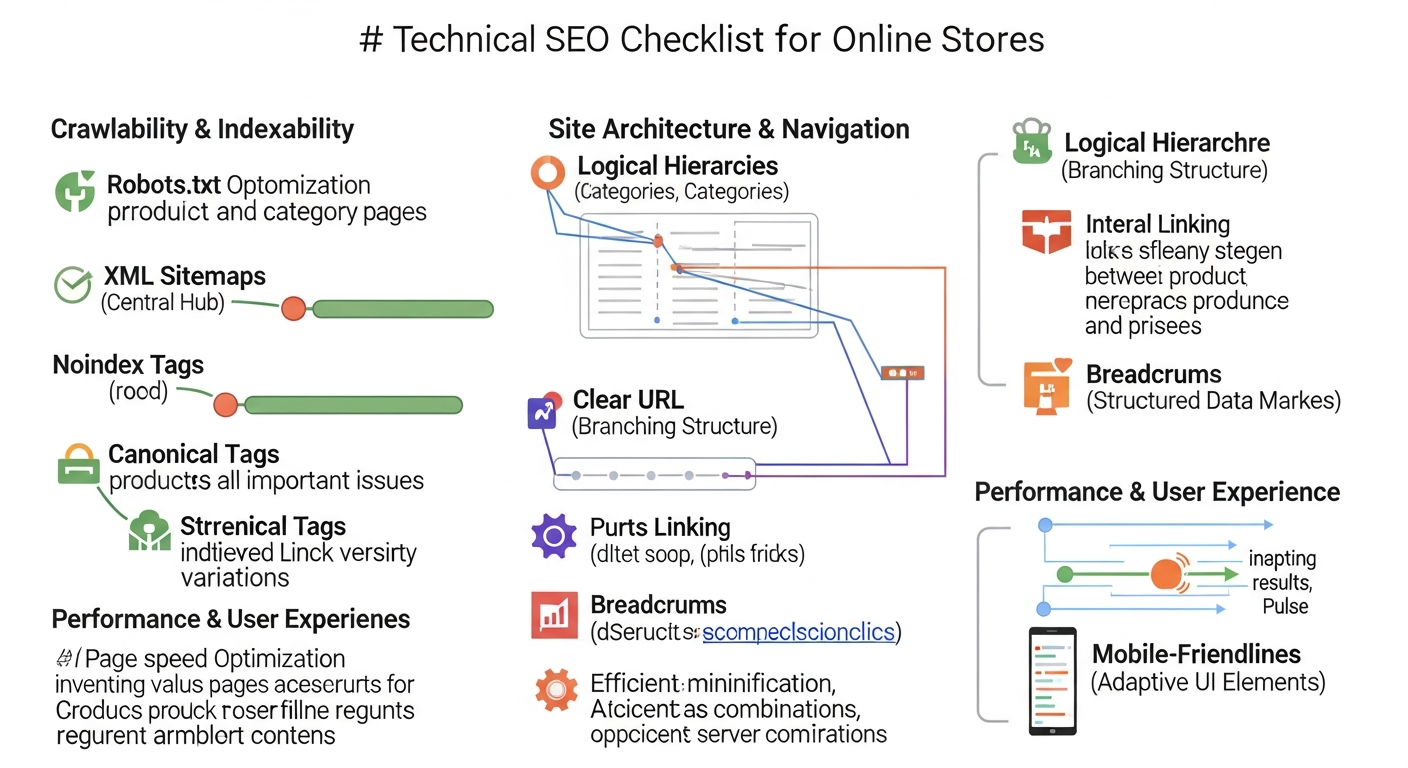
Technical SEO ensures that your website can be effectively crawled, indexed, and understood by search engines. For e-commerce sites with their vast number of pages and complex functionality, a solid technical foundation is essential. Overlooking these details can undermine all your other SEO efforts.
Schema markup is a code vocabulary you add to your website’s HTML to help search engines better understand your content. For e-commerce, `Product Schema` is the most important type. By implementing it, you can enable rich snippets in the search results—those eye-catching extras like star ratings, price, and availability that appear directly under your page title. Rich snippets make your listing stand out from the competition, which can significantly increase your click-through rate. You can also use `Review Schema` to show aggregate ratings. Most modern e-commerce platforms have plugins or built-in features to add this markup easily.
Site speed is a confirmed ranking factor, and for good reason: users hate slow websites. A slow-loading e-commerce site leads to higher bounce rates and lower conversion rates. Google measures user experience with a set of metrics called Core Web Vitals (CWV):
To improve your CWV and overall site speed, focus on optimizing images, enabling browser caching, minifying CSS and JavaScript, and using a Content Delivery Network (CDN).
With a majority of online shopping now happening on mobile devices, having a mobile-friendly website is no longer optional. Google uses mobile-first indexing, meaning it predominantly uses the mobile version of your site for indexing and ranking. Your online store must provide a seamless experience on all devices. This means using a responsive design that automatically adapts to different screen sizes, ensuring buttons and links are easily tappable, and simplifying your navigation and checkout process for mobile users. Use Google’s Mobile-Friendly Test tool to check your pages.
Faceted navigation (also known as filtering) allows users to refine and sort product listings by attributes like size, color, brand, or price. While great for UX, it can create an SEO nightmare by generating a massive number of unique URLs with very similar or identical content (e.g., `…/shirts?color=blue` and `…/shirts?size=medium`). This can dilute ranking signals and consume your crawl budget.
There are several ways to manage this:

Content marketing for e-commerce goes beyond your product pages. It’s about creating valuable, helpful content that attracts potential customers at every stage of their buying journey. By answering their questions and solving their problems, you build trust and establish your brand as an authority in your niche.
Your product and category pages target users with commercial intent who are ready to buy. But what about all the potential customers who are still in the research or awareness phase? This is where a blog comes in. Use your blog to target informational keywords related to your products and industry. For example, if you sell kitchenware, you could write articles like:
This type of content attracts top-of-funnel traffic, introduces new users to your brand, and gives you opportunities to naturally link to your product pages, guiding them further down the sales funnel.
Buying guides and comparison posts are powerful pieces of middle-funnel content that target users who are actively evaluating their options. These are some of the most effective content types for driving qualified traffic and sales.
A topic cluster is a content strategy where you create a central “pillar” page on a broad topic and then create multiple “cluster” content pages that delve into more specific subtopics. All the cluster pages link back to the pillar page, and the pillar page links out to all the cluster pages. This organized structure signals to Google that you have deep expertise on a particular topic. For an e-commerce store, your main product categories can serve as the inspiration for your topic clusters. For instance, if you sell coffee equipment, your pillar page could be “The Ultimate Guide to Brewing Coffee at Home,” and your cluster pages could cover French presses, pour-over methods, cold brew, and espresso machines.

Link building is the process of acquiring hyperlinks from other websites to your own. Backlinks are one of the most important ranking factors for Google, as they act as a vote of confidence from one site to another. For e-commerce sites, earning high-quality, relevant backlinks can significantly boost the authority and ranking potential of your category and product pages.
This is one of the most straightforward and effective link-building tactics for online retailers. Your suppliers and the manufacturers of the products you sell often have a “Where to Buy” or “Stockists” page on their website. Reach out to your contacts and ask to be added to this list with a link back to your store. These are highly relevant and authoritative links that can provide an immediate SEO boost.
Guest posting involves writing an article for another website in your niche in exchange for a link back to your own site. Identify popular blogs and online publications that your target audience reads. Pitch them relevant, non-promotional article ideas that showcase your expertise. For example, if you sell fitness equipment, you could write a guest post for a health and wellness blog about “How to Set Up a Home Gym on a Budget.” Within the article, you can include a contextual link back to one of your relevant category or blog pages.
Digital PR involves creating compelling stories, data, or assets that journalists and bloggers will want to cover and link to. This is a more advanced strategy but can result in extremely high-quality backlinks from authoritative news sites and publications. For an e-commerce brand, this could involve:
Promote your campaign to relevant journalists and influencers. Earning links from major publications can have a massive impact on your site’s overall authority.

If your e-commerce business also has one or more brick-and-mortar locations, you need to incorporate local SEO into your strategy. Local SEO helps you connect with nearby customers who are searching for products or services that you offer, driving both online sales and in-store foot traffic.
Your Google Business Profile (GBP) is a free tool that allows you to manage how your business appears on Google Search and Maps. It’s the cornerstone of local SEO. To optimize your profile:
A local citation is any online mention of the name, address, and phone number (NAP) of a local business. Citations can occur on local business directories (like Yelp), on websites and apps, and on social platforms. Consistency is key. Ensure your NAP information is identical across all major citation sources. Inconsistent information can confuse search engines and harm your local rankings. Use services like Moz Local or Yext to manage and build your citations at scale.
If you have multiple physical locations, create a unique landing page for each one on your website. Each page should include the store’s specific name, address, phone number, hours, a map, store-specific promotions, and unique descriptive content about that location and its surrounding area. This helps you rank for location-based searches like “shoe store in [City Name]” and provides a better user experience for customers looking for information about a specific store.

SEO is not a “set it and forget it” activity. To ensure your strategy is working and to identify areas for improvement, you must continuously track your performance. Measuring the right key performance indicators (KPIs) will help you demonstrate the ROI of your SEO efforts and make data-driven decisions.
Google Analytics 4 (GA4) is an essential tool for understanding how users from organic search are behaving on your site. With e-commerce tracking properly set up, you should monitor these key metrics:
Google Search Console (GSC) provides invaluable data on how your site performs in Google’s search results. It’s a technical health and performance tool that every website owner should use. Key areas to focus on include:
While Google’s free tools are powerful, dedicated SEO platforms can provide deeper insights, competitive analysis, and workflow automation. Some of the top tools for e-commerce include:

Navigating the complexities of e-commerce SEO can be challenging, but avoiding a few common pitfalls can significantly improve your store’s performance. The most frequent errors often stem from content and site structure. For instance, many retailers use manufacturer-provided product descriptions, which creates duplicate content across the web and gives Google no reason to rank their page highly. Another structural issue is a deep, confusing site architecture; a good rule of thumb is to ensure any product can be reached within three clicks from the homepage. On the technical side, slow page speed, especially on mobile, remains a major conversion killer and a negative ranking signal. Similarly, failing to properly manage faceted navigation can generate thousands of low-value, duplicate URLs that waste your site’s crawl budget. Finally, a common missed opportunity is neglecting internal linking. Without a strong network of internal links, you fail to distribute authority to your most important pages or clearly show search engines how your content is related. By focusing on unique content, a logical site structure, technical health, and a smart internal linking strategy, you can build a strong foundation for SEO success.

While some quick wins can be seen in a few weeks, significant results from a comprehensive e-commerce SEO strategy, such as increased rankings and organic traffic, typically take 4 to 6 months to become apparent. SEO is a long-term investment.
A solid technical foundation and well-optimized product and category pages are the most critical parts. Without a crawlable site architecture and pages that target the right commercial keywords, other efforts like link building will be less effective.
Yes, you can manage e-commerce SEO yourself, especially for smaller stores. Start with on-page SEO basics, keyword research, and technical audits using tools like Google Search Console. For larger, more competitive stores, hiring an agency or specialist is often more effective.
E-commerce SEO focuses heavily on optimizing for commercial and transactional keywords across hundreds or thousands of product and category pages. It involves unique challenges like managing faceted navigation, duplicate content from product variants, and implementing specific schema like Product and Review markup.
The best free tools for e-commerce SEO are Google Search Console, Google Analytics 4, and Google’s Keyword Planner. These tools provide essential data on performance, user behavior, and keyword opportunities directly from the source.


