








What is Customer Journey Mapping (And Why You Need a Dedicated Tool)
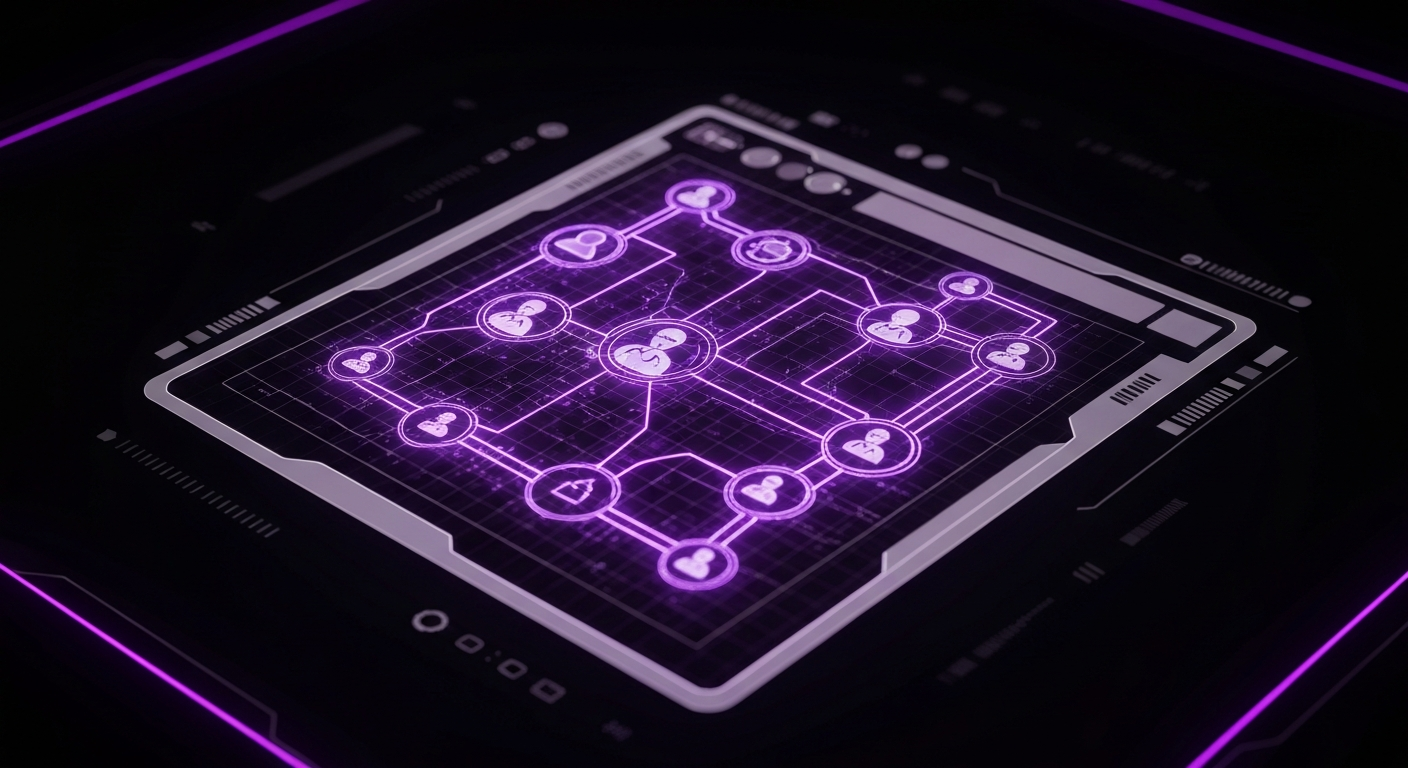
A customer journey map is a visual story of every experience a customer has with your organization. It chronicles their entire relationship with your brand, from initial awareness and engagement to a long-term connection. The map visualizes the numerous touchpoints—the direct interactions like visiting your website and the indirect ones like seeing a social media ad—a person has with your company over time. The primary goal is to understand and improve the overall user experience (UX) from the customer’s perspective by identifying their needs, motivations, and pain points at every stage.
In the past, teams often created these maps with whiteboards, spreadsheets, or basic diagramming software. Today’s customer journey, however, is not a linear path but a complex web of interactions across multiple channels. A customer might see an ad on Instagram, research on their laptop, visit a store, and then buy on a tablet. This complexity demands a more sophisticated solution, as a static diagram cannot capture the nuances, emotional states, and critical data linked to each step.
This is where dedicated customer journey mapping tools become essential. These software platforms are purpose-built to manage the complexities of modern user journeys. They offer a structured framework for visualizing the path while enriching it with data, personas, and collaborative insights. Unlike a static flowchart, a dedicated tool can link quantitative data (like website analytics) with qualitative feedback (like customer interviews), creating a dynamic, living document. This unified view helps teams move beyond assumptions and make data-informed decisions to improve the customer experience.
The Tangible Business Benefits of Using a Journey Mapping Tool

Adopting a specialized customer journey mapping tool is more than an exercise in visualization; it’s a strategic investment that yields significant, measurable returns. By systematically mapping and analyzing customer interactions, businesses can uncover critical insights that drive growth, efficiency, and customer loyalty. These platforms transform the abstract concept of customer experience into an actionable blueprint for improvement, aligning the entire organization around the needs of the customer.
Improving Customer Empathy Across Teams
One of the most profound benefits is the cultivation of customer empathy. When a developer, marketer, or executive can visually trace a customer’s frustrations—a confusing checkout process, a long wait for support, an unhelpful FAQ page—the problem becomes tangible. Journey mapping tools allow you to attach real customer quotes, survey feedback (like Customer Satisfaction or CSAT scores), and emotional graphs to each stage. This helps employees step into the customer’s shoes, fostering a deeper understanding of their challenges and goals. This shared empathy helps ensure that decisions, from product development to marketing campaigns, are made with a clear focus on the customer’s needs.
Identifying and Optimizing Conversion Funnels
Every business has key conversion funnels, whether it’s signing up for a trial, making a purchase, or subscribing to a newsletter. A detailed customer journey map acts as a diagnostic tool for these funnels. By mapping out each step and integrating performance data, you can pinpoint exactly where customers are dropping off. A journey mapping tool helps visualize these friction points and ask critical questions: Is the call-to-action unclear? Is the form too long? Is there a technical glitch on a specific device? This clarity is the foundation of effective Conversion Rate Optimization (CRO), allowing you to focus your efforts on the highest-impact areas to reduce churn and increase revenue.
Boosting Customer Retention and Loyalty
Acquiring a new customer is significantly more expensive than retaining an existing one. Journey mapping tools are invaluable for improving retention because they compel you to look beyond the initial purchase. The map includes the post-purchase experience: onboarding, product usage, customer support, and renewal. By mapping this part of the journey, you can identify opportunities to delight customers, provide proactive support, and build long-term relationships. Are you providing helpful resources to new users? Is your support team resolving issues effectively on the first contact? Visualizing these later-stage touchpoints helps you design experiences that turn one-time buyers into loyal advocates for your brand.
Breaking Down Internal Silos
In many organizations, the customer experience is fragmented because different departments own different touchpoints. Marketing handles awareness, sales manages the purchase, and support deals with post-sale issues. Often, these teams operate in silos with little understanding of the customer’s overall journey. A customer journey map created in a collaborative tool serves as a unifying artifact, providing a shared, holistic view that everyone can contribute to and reference. For instance, when the product team sees how a feature update affects support ticket volume, or marketing understands the pain points leading to sales objections, these silos begin to break down. This process fosters cross-functional collaboration, leading to a more seamless and consistent customer experience.
Essential Features to Look for in Customer Journey Mapping Software
When evaluating customer journey mapping tools, it’s easy to get lost in a long list of features. However, a few core capabilities are non-negotiable for creating effective, actionable maps. These features separate a basic diagramming tool from a powerful strategic platform. Focusing on these essentials will ensure you select software that not only helps you visualize the journey but also empowers your team to collaborate, analyze, and improve upon it.
Persona Creation and Management
A customer journey is always undertaken by a specific customer segment, represented by a buyer persona. The best tools have built-in modules for creating and managing detailed personas. This feature allows you to define your target audience’s demographics, goals, motivations, and pain points. You can then link specific journey maps to these personas, ensuring you are always designing for a well-understood user. Look for tools that allow you to include rich details like photos, quotes, and key attributes, making the persona a constant reminder of who you are serving.
Collaborative Real-Time Editing
Customer journey mapping is a collaborative effort requiring input from marketing, sales, product, UX, and customer support. Therefore, real-time collaboration is a critical feature. Look for software that allows multiple team members to edit, comment, and provide feedback on the map simultaneously, much like Google Docs. This capability is especially vital for remote or distributed teams. Features like comment threads, version history, and user permissions streamline the process, ensuring everyone’s insights are captured and the map becomes a living document reflecting the organization’s collective knowledge.
Pre-Built Templates and Frameworks
Starting a journey map from a blank canvas can be intimidating. High-quality tools offer a library of pre-built templates and frameworks to get you started quickly. These templates might include standard B2B sales funnels, e-commerce purchase journeys, or SaaS onboarding flows. They provide a solid structure that you can customize to fit your specific business context. This not only saves time but also introduces best practices and ensures you include all essential components, such as stages, touchpoints, emotional state, and opportunities for improvement.
Data Integration and Analytics Capabilities
To move your journey map from a collection of assumptions to a data-driven strategic asset, integration is key. The most powerful tools allow you to connect with other systems in your tech stack. This could involve pulling quantitative data from Google Analytics to see page drop-off rates, integrating with your Customer Relationship Management (CRM) system to see sales cycle length, or connecting to survey tools to display real-time CSAT scores at specific touchpoints. This data visualization capability transforms the map into a dynamic dashboard, allowing you to monitor the health of your customer experience and measure the impact of your optimization efforts.
Category Breakdown: Types of Journey Mapping Tools

The market for customer journey mapping tools is diverse, with solutions ranging from specialized platforms to flexible, all-purpose applications. Understanding the main categories can help you find the tool that best aligns with your team’s needs and workflows. These tools can be grouped into three main types: dedicated journey mapping software, collaborative whiteboarding tools, and integrated all-in-one platforms.
Each category has its own strengths and weaknesses, making the choice dependent on your specific context. To help you decide, here is a comparison of the different categories:
| Category | Primary Use Case | Key Strength | Potential Limitation | Ideal For |
|---|---|---|---|---|
| Dedicated Journey Mapping Software | In-depth, research-based journey mapping and persona creation. | Structured frameworks, data integration, and specific UX/CX features. | Can be more rigid than a whiteboard; may have a steeper learning curve. | CX professionals, UX researchers, and product managers who need a single source of truth. |
| Whiteboarding & Diagramming Tools | Brainstorming, workshops, and creating highly customized visual artifacts. | Infinite flexibility, real-time collaboration, and ease of use for ideation. | Lack of structured data fields and direct integration with analytics or CRM data. | Agile teams, design thinking workshops, and anyone needing a flexible creative space. |
| Integrated All-in-One Platforms | Visualizing customer paths using data already within the platform. | Seamless integration with existing CRM or marketing automation data. | Mapping features may be less advanced or customizable than dedicated tools. | Sales and marketing teams heavily invested in a specific ecosystem like HubSpot or Salesforce. |
Best-in-Class: Top Dedicated Journey Mapping Software

For teams serious about embedding customer-centricity into their operations, dedicated journey mapping software is often the best choice. These platforms are designed from the ground up to support the entire process, from research and persona development to detailed mapping and analysis. They provide the structure and features needed to create comprehensive, data-rich maps that serve as a strategic guide for the entire organization.
Smaply: For a Research-Based Approach
Smaply is a top-tier tool that excels in connecting customer research to visual maps. It’s more than just a mapping tool; it’s a complete customer experience management suite. Smaply’s key strength lies in its interconnectedness—you can create detailed buyer personas and stakeholder maps, then seamlessly link them to your journey maps. This ensures that every touchpoint you map is grounded in a deep understanding of the user. The platform is an ideal choice for UX researchers and CX professionals who need to centralize qualitative data and build a holistic view of the customer ecosystem.
UXPressia: All-in-One Persona and Journey Mapping
UXPressia is a powerful and user-friendly platform that offers a suite of integrated tools for creating customer journey maps, personas, and impact maps. Its intuitive drag-and-drop interface makes it accessible for beginners, while its robust feature set satisfies the needs of seasoned professionals. UXPressia shines with its collaboration features, allowing teams to work together in real time. A key differentiator is its focus on presentation; the tool helps you create polished, professional-looking maps that are perfect for sharing with stakeholders to get buy-in for CX initiatives.
Flowmapp: Comprehensive UX Planning Suite
Flowmapp positions itself as a full-stack UX planning tool, with customer journey mapping as a core component. Beyond journey maps, Flowmapp includes tools for creating sitemaps, user flows, and wireframes, making it a one-stop-shop for the early stages of digital product design. This integration is its biggest advantage; you can create a journey map and then directly link it to a detailed user flow diagram that outlines screen-by-screen interactions. This helps bridge the gap between high-level CX strategy and detailed UX design, making it an excellent option for agencies and product teams.
Flexible & Collaborative: Leading Whiteboarding and Diagramming Tools

While dedicated tools offer structure, some teams need a more flexible, freeform environment, especially during brainstorming and initial collaboration. Digital whiteboarding and diagramming tools provide an infinite canvas where teams can ideate, sketch, and build journey maps from scratch. They are celebrated for their ease of use and powerful real-time collaboration features, making them a popular choice for workshops and agile teams.
Miro: The Infinite Digital Whiteboard
Miro has become a dominant force in visual collaboration. It’s an online whiteboard platform that can be used for virtually anything, including customer journey mapping. Miro offers a vast library of templates, including several for journey maps and personas, which provide a great starting point. Its strength lies in its flexibility and seamless integration with other tools like Jira, Asana, and Slack. While it lacks the structured data fields of a dedicated tool, its versatility makes it a favorite for cross-functional teams looking for one tool to handle all their collaborative brainstorming needs.
Mural: Visual Collaboration for Teams
Mural is a direct competitor to Miro and offers a similar set of powerful features geared towards visual collaboration. It is particularly well-regarded for its facilitation tools, designed to help leaders run more engaging and productive remote or hybrid workshops. Mural provides robust templates for a wide range of activities, including journey mapping, empathy mapping, and business model canvases. Teams often choose Mural for its focus on structured facilitation and its enterprise-grade security features, making it a strong choice for large organizations conducting strategic planning sessions.
Lucidchart: Intelligent Diagramming for Everyone
Lucidchart is a cloud-based diagramming application that brings more structure than a whiteboard but more flexibility than some dedicated tools. It excels at creating polished, professional diagrams of all kinds, from flowcharts to customer journey maps. Lucidchart offers specific shape libraries and templates for journey mapping. Its key advantage is its ability to link data to shapes, allowing for a degree of dynamic visualization. It’s an excellent middle-ground tool for teams that need to create clear, data-informed diagrams and integrate them into documentation or presentations.
Integrated Solutions: All-in-One Platforms with Mapping Features

For many businesses, the most valuable customer data already resides within their core operational platforms, such as their Customer Relationship Management (CRM) or marketing automation software. Recognizing this, some leading all-in-one platforms have incorporated journey mapping features directly into their ecosystems. This approach offers the powerful advantage of building maps based on real customer data and behavior, rather than on theoretical personas alone.
HubSpot: Mapping within a CRM Ecosystem
HubSpot has built its reputation as a comprehensive platform for marketing, sales, and service. It offers a journey mapping tool that allows users to visualize and automate customer paths. The primary advantage of using HubSpot is its native integration with its vast store of customer data. You can build journey stages based on actual CRM properties, like lead status, and trigger marketing automation workflows directly from the map. This makes the journey map less of a static document and more of an active, operational tool for orchestrating the customer experience.
Salesforce: Visualizing the Customer Path to Purchase
As a leading CRM, Salesforce holds a treasure trove of customer data for its users. Through its various clouds, particularly Marketing Cloud, Salesforce offers tools to map and manage customer journeys. Marketing Cloud’s Journey Builder is a powerful tool that allows marketers to design and automate 1-to-1 customer journeys across channels like email, mobile, and web. While it’s more focused on campaign orchestration than on traditional research-based mapping, it provides an unparalleled ability to visualize and act on customer interactions in real-time for businesses deeply embedded in the Salesforce ecosystem.
Free and Freemium Tools for Startups and Small Businesses

Not every organization has the budget for a premium journey mapping tool, especially when just getting started. Fortunately, several high-quality free and freemium options provide more than enough functionality to build impactful maps. Many leading tools offer generous free tiers ideal for small-scale projects, often limiting the number of maps or collaborators but retaining core features.
- Miro’s Free Plan: Offers up to three editable boards, which is perfect for a small team focusing on its core customer journey. You get access to their vast template library and core collaboration features.
- UXPressia’s Free Plan: Allows you to create one journey map, one persona, and one impact map. This is an excellent way to try out a dedicated tool and create a foundational map for your business.
- Lucidchart’s Free Plan: Provides access to a limited number of shapes and three editable documents. It’s a great choice for creating polished, presentation-ready maps on a budget.
Beyond these freemium offerings, other tools can be adapted for journey mapping. Google Drawings or Slides, for instance, can be used to create basic maps collaboratively at no cost, though they lack specialized features. For teams just dipping their toes into user path analysis, starting with a free tool is a low-risk, high-reward strategy to begin visualizing the customer experience.
How to Choose the Right Customer Journey Mapping Tool for Your Needs

Selecting the right software from a crowded market can feel overwhelming. The best tool is not the one with the most features, but the one that best fits your team’s specific goals, skills, and budget. By following a structured evaluation process, you can confidently choose a platform that will become a valuable asset rather than another unused subscription.
Step 1: Define Your Primary Goals
First, clarify why you need a journey mapping tool. What specific problem are you trying to solve? Are you conducting UX research to understand customer pain points? Are you trying to align your marketing and sales teams? Do you need to optimize a specific conversion funnel? If your goal is collaborative brainstorming, a tool like Miro might be perfect. If your goal is to build a detailed, data-backed repository of customer insights, a dedicated tool like Smaply is a better fit. Clearly defining your objective will immediately narrow your options.
Step 2: Assess Your Team’s Size and Technical Skills
Consider who will be using the tool and their level of technical expertise. Is it a small team of UX designers or a large, cross-functional group with varying skill sets? Some dedicated tools have a steeper learning curve, while whiteboarding tools are generally intuitive. If broad adoption across the company is a key goal, prioritize ease of use and a simple user interface. Also, consider the collaboration features needed to support your team’s size and workflow, whether they are co-located or fully remote.
Step 3: Evaluate Your Budget and Scalability Requirements
Budget is always a key factor. Determine what you can realistically afford on a monthly or annual basis. Many tools are priced per user, so costs can escalate quickly as your team grows. Examine the different pricing tiers and the features included in each. Think about your future needs as well. Will you need to create more maps, integrate more data sources, or add more users over time? Choose a tool that not only meets your current budget but also has a clear and affordable path to scale with you as your CX maturity grows.
Step 4: Check for Crucial Integrations with Your Tech Stack
A journey mapping tool becomes exponentially more powerful when it connects to the other systems you use. Make a list of your must-have integrations. Do you need to pull data from Google Analytics, Salesforce, Jira, Slack, or a survey tool like SurveyMonkey? Check the integration capabilities of your shortlisted tools. Seamless data flow prevents manual data entry, ensures your maps are always up-to-date, and helps you directly link CX insights to business metrics. A lack of key integrations can turn a promising tool into an isolated information silo.
Implementing Your Tool: A Step-by-Step Guide to Getting Started

Once you’ve selected your tool, the real work begins. Effective implementation is about process, not just software. Following a structured approach will help you build your first map, gain valuable insights, and demonstrate the value of the exercise to your organization. This is your chance to turn theory into a practical guide for improving your customer experience.
Gathering Qualitative and Quantitative Data
Your journey map should be built on evidence, not assumptions. Start by gathering two types of data. Quantitative data provides the ‘what’—use sources like Google Analytics to see where users drop off, CRM data to understand sales cycles, and support ticket data to identify common problems. Qualitative data provides the ‘why’—conduct customer interviews, send surveys, read online reviews, and talk to customer-facing teams to understand the emotions, motivations, and frustrations behind the numbers.
Building Your First Buyer Persona
Start by creating one primary buyer persona within your chosen tool. Use the data you’ve gathered to build a detailed profile. Give the persona a name, a photo, and a backstory. Document their goals, their challenges, and their key motivations related to your product or service. This persona will be the protagonist of your journey map, ensuring you maintain a human-centered perspective throughout the process.
Mapping Key Touchpoints and Stages
With your persona defined, begin mapping the journey. Use a template or start from scratch to outline the major stages of their experience, such as Awareness, Consideration, Purchase, Onboarding, and Loyalty. Within each stage, identify all the key customer touchpoints where the persona interacts with your company. For each touchpoint, document what the customer is doing, thinking, and feeling. Use your research to capture their emotional highs and lows across the journey.
Analyzing and Sharing Insights
Once the map is drafted, the analysis begins. Look for the moments of truth—the key pain points that cause the most frustration and the high points that create delight. Use your tool’s features to highlight these areas and brainstorm opportunities for improvement. The final and most critical step is to share the map. Use the tool’s presentation or export features to share the journey map with key stakeholders across the company. Use it to tell a compelling story about the customer’s experience and build alignment on which problems to solve first.
Beyond Visualization: Using Your Tool to Drive Action and Optimization

A beautifully designed customer journey map is useless if it doesn’t lead to action. The ultimate purpose of using a journey mapping tool is not to create a static artifact, but to catalyze positive change. The map is a diagnostic tool; its real value is realized when you use the insights it reveals to actively improve the customer experience. This means moving from mapping to management and transforming insights into a concrete action plan.
For every major pain point or opportunity identified on the map, establish a specific, measurable, achievable, relevant, and time-bound (SMART) goal. For example, if the map reveals frustration with support response times, a goal might be to ‘reduce the average first-response time from 8 hours to 2 hours by the end of Q3.’ Next, assign clear ownership for each initiative. Who is responsible for improving that confusing onboarding email or simplifying the checkout process? Without accountability, even the best ideas will fail to gain traction. Use your tool or a connected project management platform to track these initiatives.
Finally, the journey map should be a living document. Customer expectations and behaviors are constantly evolving, and your map needs to reflect that. Schedule regular reviews—quarterly or semi-annually—to update the map with new data, fresh customer feedback, and insights from your ongoing optimization efforts. Use the data integration features of your tool to monitor key metrics directly on the map. By treating your customer journey map as a dynamic blueprint for continuous improvement, you transform it from a simple visualization into the central nervous system of a truly customer-centric organization.
Conclusion: Transforming Customer Experience with the Right Software

In today’s competitive landscape, understanding and optimizing the customer journey is a fundamental requirement for business success. The path your customers take is complex, and attempting to manage it with outdated methods is a recipe for missed opportunities and frustrated users. A dedicated customer journey mapping tool provides the clarity, collaboration, and data-driven insight needed to navigate this complexity effectively.
By investing in the right software, you empower your entire organization to see the world through the customer’s eyes. This shared perspective breaks down internal silos, fosters empathy, and aligns everyone around the common goal of delivering an exceptional user experience (UX). Whether you choose a dedicated platform like Smaply, a flexible whiteboard like Miro, or an integrated CRM solution like HubSpot, the goal is the same: to transform abstract data into an actionable story.
The journey map you create is more than just a diagram; it’s a strategic blueprint for growth. It reveals the friction points that hinder conversions, the service gaps that damage loyalty, and the hidden opportunities to delight your customers. By selecting a tool that fits your goals and committing to using its insights to drive meaningful action, you can move beyond simply visualizing the path and begin actively shaping it for the better, building stronger relationships and lasting business value one touchpoint at a time.
Frequently Asked Questions

What is the main purpose of a customer journey mapping tool?
The main purpose is to visualize, analyze, and improve the end-to-end experience a customer has with a company. It helps teams understand customer needs, pain points, and emotions at every touchpoint, enabling them to make data-informed decisions to enhance satisfaction, loyalty, and conversions.
Can I create a customer journey map for free?
Yes. Many leading tools like Miro, Mural, and UXPressia offer free plans that are perfect for individuals or small teams to create their first few journey maps. You can also use basic, free applications like Google Drawings or Slides, though they lack the specialized features of dedicated software.
What’s the difference between a journey mapping tool and a simple diagramming tool like Visio?
While a diagramming tool like Visio can create a basic visual, a dedicated journey mapping tool offers a structured framework designed for this task. It includes built-in components like persona builders, emotional graphs, and customizable lanes for touchpoints and data. More importantly, advanced journey mapping tools offer real-time collaboration and data integration capabilities that simple diagramming tools lack.
How do I integrate customer data into my journey map?
The best tools offer direct integrations with other software. You can connect to Google Analytics to pull in web metrics, your CRM (like Salesforce or HubSpot) to add sales data, or survey tools (like SurveyMonkey) to display customer feedback scores. Some tools also allow you to import data from spreadsheets or use an API for custom integrations.
How often should our team update our customer journey maps?
A customer journey map should be a living document, not a one-time project. It’s good practice to review and update your maps regularly, for instance, quarterly or semi-annually. You should also revisit the map whenever you launch a major product, make significant changes to your service, or receive new customer insights that challenge your current understanding.
What are the key metrics to track after implementing a customer journey map?
The metrics you track should align with the pain points and opportunities you identified. Key metrics often include Customer Satisfaction (CSAT), Net Promoter Score (NPS), Customer Effort Score (CES), conversion rates at specific funnel stages, customer retention or churn rate, and support ticket volume or resolution time.